
Table of Contents
Introduction
In today’s fast-paced digital world, consistency, scalability, and efficiency are essential for building successful products. Whether it’s a website, mobile app, or enterprise software, maintaining a unified look and feel across all platforms can be challenging. This is where a design system becomes a game-changer.
A design system is more than just a style guide—it is a comprehensive framework that combines design standards, reusable components, and clear guidelines to ensure consistency across digital products. Companies of all sizes, from startups to global enterprises, are increasingly adopting design systems to streamline their workflows and improve collaboration between designers and developers.
By using a design system, teams can reduce redundancy, improve productivity, and create seamless user experiences. This article explores everything you need to know about design systems, including their structure, benefits, and real-world applications.
Design System Details
| Component | Description | Purpose |
| Style Guide | Defines colors, typography, spacing, and visual elements | Ensures visual consistency |
| UI Components | Buttons, forms, cards, navigation elements | Reusable building blocks |
| Design Tokens | Variables for colors, fonts, spacing | Maintains consistency across platforms |
| Documentation | Guidelines and instructions for usage | Helps teams follow standards |
| Pattern Library | Predefined layouts and interaction patterns | Speeds up design process |
| Code Library | Developer-ready components | Improves development efficiency |
| Accessibility Rules | Guidelines for inclusive design | Enhances usability for all users |
What is a Design System?
A design system is a structured collection of reusable components, standards, and guidelines that help teams design and develop digital products consistently. It acts as a single source of truth for designers, developers, and stakeholders.
Unlike a simple style guide, a design system includes both design and code, ensuring that what designers create can be easily implemented by developers. It bridges the gap between creativity and functionality.
A design system typically includes:
- Visual elements (colors, typography, icons)
- UI components (buttons, forms, modals)
- Layout guidelines
- Interaction patterns
- Code snippets and libraries
In simple terms, a design system is like a toolkit that helps teams build products faster and more efficiently while maintaining a consistent user experience.
Why Use a Design System?
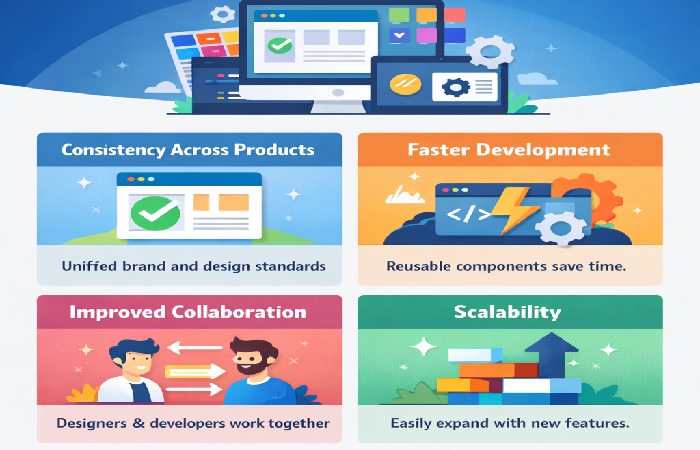
Using a design system offers multiple advantages that go beyond aesthetics. It improves collaboration, speeds up development, and ensures consistency across all digital platforms.
- Consistency Across Products
A design system ensures that all elements follow the same style, creating a unified brand identity.
- Faster Development
Developers can reuse pre-built components instead of coding everything from scratch.
- Improved Collaboration
Designers and developers work from the same set of guidelines, reducing misunderstandings.
- Scalability
As your product grows, a design system makes it easier to add new features without disrupting the existing design.
- Better User Experience
Consistency in design leads to a smoother and more intuitive user experience.
A Collection of Design System Resources
| Resource Type | Examples | Purpose |
| UI Frameworks | Bootstrap, Material UI | Ready-made components |
| Design Tools | Figma, Sketch, Adobe XD | Creating and prototyping designs |
| Documentation Tools | Zeroheight, Storybook | Managing design system documentation |
| Icon Libraries | Font Awesome, Heroicons | Consistent icon usage |
| Accessibility Tools | Axe, Lighthouse | Ensuring inclusive design |
| Version Control | GitHub, GitLab | Managing updates and collaboration |
Best Design System Examples
| Company | Design System Name | Key Features |
| Material Design | Clean UI, responsive components | |
| Apple | Human Interface Guidelines | Focus on usability and aesthetics |
| Microsoft | Fluent Design System | Cross-platform consistency |
| IBM | Carbon Design System | Enterprise-focused components |
| Shopify | Polaris | E-commerce-centered design |
| Atlassian | Atlaskit | Collaboration tool UI components |
Why Are Companies Building Unique Design Systems?
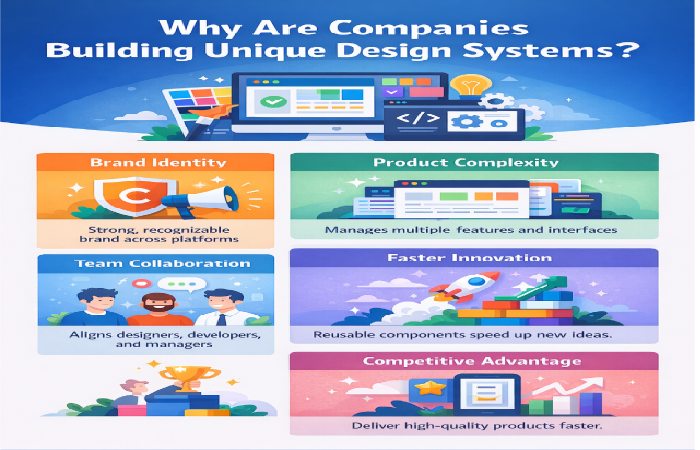
Companies are increasingly investing in custom design systems rather than relying solely on generic frameworks. This shift is driven by the need for differentiation, efficiency, and scalability.
1. Brand Identity
A unique design system helps companies maintain a strong and recognizable brand across all platforms.
2. Product Complexity
As products grow more complex, having a structured system helps manage multiple features and interfaces.
3. Team Collaboration
Large teams benefit from a shared system that aligns designers, developers, and product managers.
4. Faster Innovation
With reusable components, teams can focus more on innovation rather than repetitive tasks.
5. Competitive Advantage
A well-designed system allows companies to deliver high-quality products faster than competitors.
The Benefits of Creating a Design System
| Benefit | Description | Impact |
| Consistency | Uniform design across platforms | Strong brand identity |
| Efficiency | Reusable components | Faster development |
| Scalability | Easy to expand design | Supports growth |
| Collaboration | Shared guidelines | Better teamwork |
| Cost Reduction | Less rework needed | Saves time and money |
| Accessibility | Inclusive design practices | Wider audience reach |
| Maintainability | Easy updates and fixes | Long-term sustainability |
Conclusion
A design system is no longer a luxury—it is a necessity for modern digital product development. It provides a structured approach to design and development, ensuring consistency, efficiency, and scalability.
By implementing a design system, organizations can streamline workflows, improve collaboration, and deliver high-quality user experiences. Whether you are a startup or a large enterprise, investing in a design system can significantly enhance your product development process.
As technology continues to evolve, design systems will play an even more critical role in shaping the future of digital experiences. Building a robust and flexible design system today can set the foundation for long-term success.
FAQs
1. What is the main purpose of a design system?
The main purpose of a design system is to ensure consistency and efficiency in designing and developing digital products.
2. How is a design system different from a style guide?
A style guide focuses only on visual elements, while a design system includes components, code, and usage guidelines.
3. Who uses a design system?
Designers, developers, product managers, and stakeholders all use design systems.
4. Can small businesses use design systems?
Yes, even small businesses can benefit from design systems by improving consistency and saving time.
5. What tools are used to create design systems?
Common tools include Figma, Sketch, Adobe XD, and Storybook.
6. Are design systems only for large companies?
No, they are useful for businesses of all sizes.
7. How long does it take to build a design system?
It depends on the complexity, but it can take weeks to months.
8. Can a design system evolve over time?
Yes, design systems are continuously updated as products grow and change.
